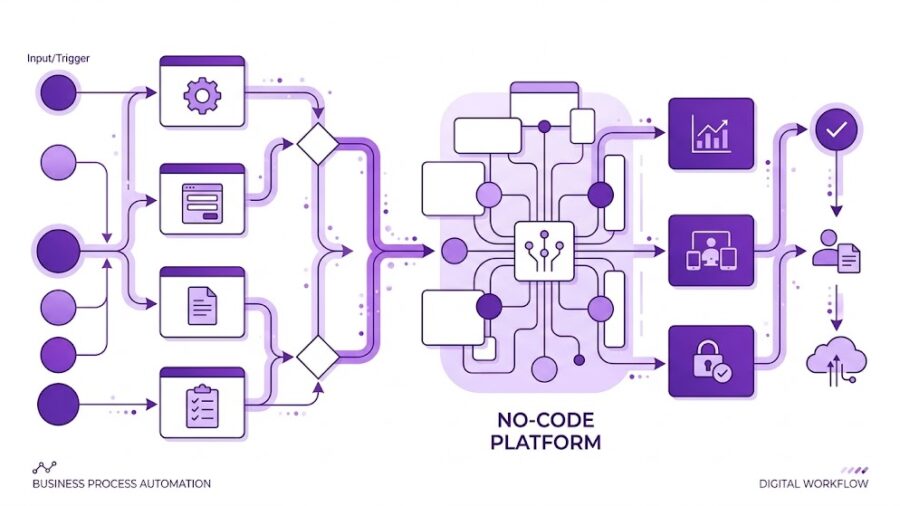
What it is, why it matters, and exactly how to start — from zero to your first automated workflow, no coding required.
You’ve heard that AI can automate repetitive work. But what does that actually look like for a real business — yours? Which tasks qualify? What tools do you use? Where do you even start?
This guide answers all of that, step by step, without the jargon. By the end, you’ll know exactly what AI automation is, whether it makes sense for your situation, and how to set up your first workflow today.
First: what is AI automation, exactly?
Automation — even without AI — means setting up a system to do a task for you automatically when something happens. “When I get a new order, update my spreadsheet.” “When someone fills in a form, send them an email.”
AI automation adds intelligence on top of that. Instead of just moving data around, the AI can understand, classify, write, and decide — making the workflow smarter.
Regular automation: “When a form is submitted, add a row to my spreadsheet.”
AI automation: “When a form is submitted, read the message, decide if it’s a sales lead or a support request, write a personalised reply, and add it to the right pipeline.”
The combination of triggers, logic, and AI transforms hours of repetitive human work into seconds of invisible processing.
Why bother? The real business case
Time back
The average knowledge worker spends 60% of their time on repetitive coordination tasks. Automation gives that back.
Scale without hiring
A workflow that handles 10 requests can handle 10,000 with zero extra cost. Humans can’t do that.
Fewer errors
Automated systems don’t forget, get tired, or copy-paste to the wrong cell. Consistency is built in.
Focus on what matters
When the machine handles the routine, your team focuses on judgment, relationships, and creativity.
How to identify what to automate (the right way)
Not every task is worth automating. The best candidates share three traits: they’re repetitive, they follow a predictable pattern, and they happen often enough to justify the setup time.
A simple filter to apply to your own work:
1 – Ask yourself → Do I do this more than 3 times a week?
If yes, it’s worth looking at. If it’s a one-off, skip it — setup cost won’t pay off.
2 – Ask yourself → Does it follow the same steps every time?
If you could write it as a checklist with no exceptions, it’s automatable. If it requires judgment every time, AI can help but won’t replace you fully.
3 – Ask yourself → Does it involve moving information between tools?
Copy-pasting data from emails to CRMs, from forms to spreadsheets, from Slack to Notion — these are the easiest wins. Pure “data plumbing.”
4 – Ask yourself → Would a mistake here be costly?
High-stakes decisions (legal, financial, medical) need a human in the loop. Low-stakes, high-frequency tasks are the sweet spot to start.
Real examples by business type
Freelancers & consultants
Auto-send proposals when a lead fills a contact form. Follow up after 3 days if no reply. Log hours to invoicing automatically.
High ROI
E-commerce
Classify customer support emails and route them. Generate personalised post-purchase emails. Flag low stock and notify buyers.
High ROI
Marketing teams
Auto-generate first drafts of social posts from blog content. Summarise weekly analytics into a Slack report. Score and route leads from ads.
High ROI
Customer support
AI reads tickets, categorises by issue type, suggests a response draft, and escalates only what needs a human.
High ROI
Operations & finance
Extract data from invoices and receipts automatically. Reconcile entries. Generate weekly status reports from your project tool.
Medium ROI
HR & recruiting
Screen CVs against a job spec. Send personalised rejection or next-step emails. Schedule interviews without human back-and-forth.
Medium ROI
The tools — what’s out there?
There are two categories of tools: no-code workflow builders (visual drag-and-drop) and AI-native platforms. Here’s how the main ones compare:
| Tool | Best for | AI built-in? | Pricing |
|---|---|---|---|
| n8n | Full control, technical users | Yes (OpenAI, Claude, Gemini) | Open source |
| Make (Integromat) | Visual workflows, business teams | Yes (via modules) | Free tier |
| Zapier | Simplest setup, most integrations | Yes (Zapier AI) | Free tier |
| Activepieces | Open-source Zapier alternative | Yes (via AI pieces) | Open source |
| Microsoft Power Automate | Microsoft 365 ecosystems | Yes (Copilot) | Paid |
Why n8n stands out (and when to use it)
n8n is the tool most recommended by practitioners who’ve tried multiple platforms — not for its simplicity, but for its power and flexibility. Here’s what makes it different:
What makes n8n different
Open source
You can self-host it for free, keeping your data private. No per-task pricing that blows up when you scale.
AI nodes
Native integration with OpenAI, Claude, Gemini, and Hugging Face — you can drop an AI step into any workflow in seconds.
500+ apps
Gmail, Slack, Notion, Airtable, HubSpot, Shopify, Google Sheets, WhatsApp, and more — all connectable without code.
Visual + code
Non-technical users build visually. Developers can drop in JavaScript or Python when needed. Both coexist in the same workflow.
AI agents
n8n now supports multi-step AI agents that can plan, search, and execute — not just simple one-shot prompts.
When to choose Zapier instead: if you want the absolute simplest setup and don’t need much customisation. Zapier has the most integrations and the lowest learning curve — great for a first automation. When you outgrow it, n8n is the natural next step.
3 practical recipes to build today
These are workflows you can set up in under an hour, regardless of which tool you use:
Lead response bot
→Trigger: new form submission
→AI reads the message and classifies intent
→AI writes a personalised reply
→Sends email + adds to CRM
→Notifies you on Slack if high priority
Weekly digest
→Trigger: every Monday at 8am
→Pulls data from your project tool
→AI summarises status + flags blockers
→Formats a clean report
→Posts to Slack or sends by email
Content repurposer
→Trigger: new blog post published
→AI reads the full article
→Writes 3 LinkedIn post variants
→Writes a Twitter/X thread
→Saves drafts to Notion for review
How to build your first n8n workflow — step by step
1. Setup
Create a free n8n account at n8n.io
Use the cloud version to start — no installation needed. The free tier is enough for most beginner workflows. Self-host later if you need privacy or scale.
2. Choose your trigger
Decide what event starts the workflow
A trigger is the “when.” Common options: a webhook (something pings n8n), a schedule (every day at 9am), a new email, a form submission, or a new row in a spreadsheet.
3. Add an AI node
Drop in an OpenAI or Claude node
Connect your API key (you’ll need one from OpenAI or Anthropic — both have free credits to start). Write your prompt. The AI node transforms whatever data came in from the trigger.
4. Add an action
Do something with the AI’s output
Send an email, post to Slack, create a task in Notion, update a Google Sheet. n8n has pre-built nodes for 500+ apps — search for yours, connect your account, map the fields.
5. Test and activate
Run it manually, check the output, turn it on
n8n lets you test each node individually. Check that data flows correctly through each step before activating. Once it’s live, the workflow runs automatically whenever the trigger fires.
5 mistakes beginners make (and how to avoid them)
Automating everything at once
Start with one workflow. Run it for two weeks. Fix what breaks. Then build the next one. Complexity compounds fast.
Trusting AI output without reviewing
Set up a “human review” step for any workflow that touches customers or public-facing content. Automate the draft, not the send.
Writing vague AI prompts
The quality of your automation is the quality of your prompt. Be specific: tell the AI its role, what to do, what format to output, and what to avoid.
No error handling
Every workflow will fail at some point — an API goes down, data is missing, a format changes. Add error branches that notify you when something breaks.
Automating a broken process
Automation makes a bad process faster, not better. Before you automate, make sure the underlying process actually works well manually.
The mindset shift that changes everything
Most people approach automation as “a tech thing” — something IT sets up, or something that requires a developer. In 2026, that’s no longer true. The tools are visual. The AI does the complex parts. The barrier is mostly mindset.
The right frame: think of yourself as a process designer. Your job isn’t to do the task — it’s to design the system that does it. That’s a skill that compounds: every workflow you build makes the next one faster to build, and every hour you automate is an hour that scales forever.
Your starting challenge
Pick one repetitive task you do at least 3 times a week. Write down every step, exactly as you do it today. That document is your first automation spec. You’re already halfway there.
The machine doesn’t replace your thinking. It frees you to do more of it.